
🔥 Hot
CapCut - Video Editor
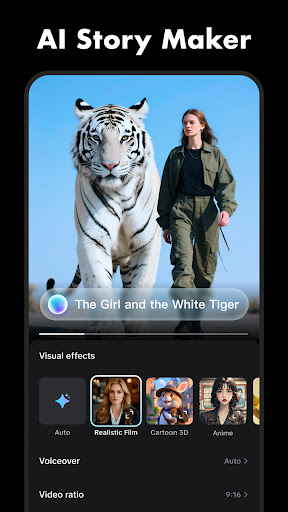
CapCut offers easy-to-use video editing functions, in-APP fonts and effects, advanced features such as keyframe animation, smooth slow-motion, chroma key, and stabilization, to help you capture and snip moments.
Create fancy videos with other unique features: auto captions, text-to-speech, motion tracking, and background removal. Show your personality and go viral on TikTok, YouTube, Instagram, WhatsApp, and Facebook!
FEATURES
Basic video editing
• Trim and shorten clips and split or merge videos.
• Adjust video speed from 0.1x to 100x, and apply speed curves to clips.
• Animate video clips with incredible zoom in/out effects.
• Highlight the best moments with the freeze feature.
• Explore transition options with awesome effects on and between clips.
Advanced video editor
• Keyframe video animation is available for all settings.
• Edit videos to create smooth slow-motion with the optical flow feature and speed curve tool.
• Use the chroma key to remove specific colors from videos.
• Easy to arrange and preview clips on multi-track timeline.
• The stabilizing feature keeps video footage steady.
Intelligent features
• Auto captions: automate speech recognition and subtitles in videos.
• Text-to-speech: apply text-to-speech in multiple languages and voices.
• Background removal: automatically remove backgrounds.
Text & Stickers
• Add text to videos with different fonts and styles, choose unique text templates. Fonts can be imported locally.
• Subtitles can be added to the timeline of video tracks and can be moved and adjusted in one step.
Trending Effects & Filters
• Match video content with diverse filters that are updated weekly with the latest trends.
• Edit videos with hundreds of trending effects, including Glitch, Blur, 3D, etc.
• Add movie-style video filters or adjust video brightness, contrast, etc.
Music & Sound Effects
• Add millions of music clips and sound effects to videos.
• Extract audio, clips, and recordings from videos.
Easy to Share
• Custom video export resolution, HD video editor supports 4K 60fps exports and smart HDR.
• Adjust the format and share with your friends on social media platforms.
CapCut is an all-in-one video editor and video maker application with everything you need to create stunning, high-quality videos. Beginners can get started with CapCut in a matter of seconds, while advanced users can enjoy all the functions they need to edit videos.
Terms of Service —
https://www.capcut.com/clause/terms-of-service
Privacy Policy —
https://www.capcut.net/clause/privacy
Contact Us
Any questions about CapCut? Please contact us at [email protected].
Facebook: CapCut
Instagram: CapCut
YouTube: CapCut
TikTok: CapCut on TikTok
B612 AI Photo&Video Editor
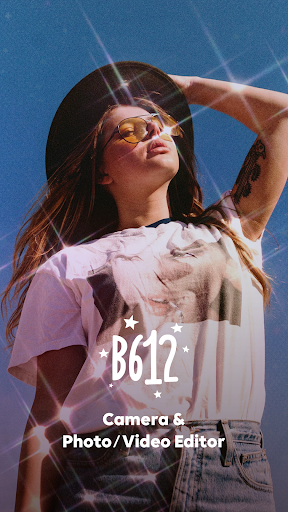
B612 is the all-in-one camera & photo/video editing app. We offer various free features and tools to make every moment more special.
Meet trendy effects, filters, and stickers that are updated every day!
=== Main features ===
*Create your own filters*
- Create a one-of-a-kind filter and share it with friends
- No problem even if it's your first time creating a filter. Filters are easily completed with just a few touches.
- Meet the creative and diverse filters of B612 creators.
*Smarter CAMERA*
Apply real-time filters and beauty to capture every moment as your pic of the day.
- Don't miss out on daily updated AR effects and seasonal exclusive trendy filters
- Smart Beauty: Get a perfect recommendation for your face shape and create your custom beauty style
- AR Makeup: Create a natural look from daily to trendy makeup. You can adjust beauty and makeup to suit you.
- Shoot clearly anytime, anywhere with high-resolution mode and night mode.
- Capture the fun moment with the Gif Bounce feature. Create it as a gif and share it with your friends to double the fun!
- From video shooting to post-editing with over 500 kinds of music. Turn your daily life into a music video.
- You can use a custom sound source for music by extracting a sound source from your video.
*ALL-IN-ONE PRO editing feature*
Enjoy basic, professional-grade tools.
- Various Filters & Effects: From retro to emotional modern style! Create the atmosphere you want.
- Advanced Color Edit: Experience precise color edit with tools such as professional curves, split tone, and HSL that brings out details.
- More natural portrait edit: Complete your pic of the day with beauty effects, body edit, and hair color styling.
- Edit Videos: Anyone can edit videos easily with trendy effects and various music.
- Borders and Crop: Simply adjust the size and ratio and upload it to social media.
- Decoration Stickers & Texts: Decorate your photos with various stickers and texts! You can also make custom stickers and use them.
Microsoft Word: Edit Documents
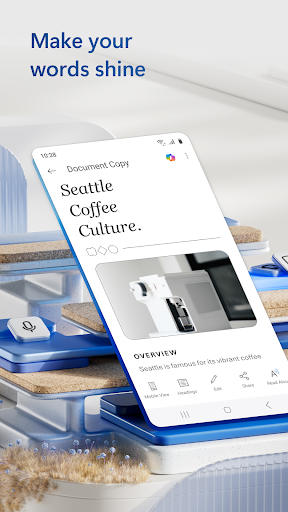
The document editor that you can take with you on the go – Microsoft Word.
Write and create documents on your mobile device much like you do on your PC. Edit docs, share notes, convert to PDF documents, craft a powerful cover letter, and collaborate on projects using your mobile device.
Documents are easy to create, read, edit and share with Microsoft Word. Simplify on-the-go document collaboration and editing with our easy-to-use Word app features. Convert to PDF from Word and vice versa. From doc editing to collaboration and beyond, Microsoft Word is one of the best free writing apps for writing on the go.
Access files, documents and make edits with ease using the Word app. Read documents and open attachments with built-in docs viewer. Edit a PDF using Word’s PDF converter feature easily. Share files, documents and notes in the format you’d like. Create documents on the go with Word’s expert editing tools anytime, anywhere.
Read, edit docs and create a document for any need. Resume templates, newsletters, brochures and more are accessible in the template gallery. Select the documents you would like and get started.
Blogger, writer, journalist, columnist or project manager: the Microsoft Word writing app moves with you.
Easy document editing, at your fingertips. Write a letter, create templates, read Word documents, edit docs and collaborate with your team anywhere! Get the docs and PDF app that can do it all.
Create Documents
• Use Microsoft Word as a cover letter creator by leveraging our beautiful templates
• Document editor keeps formats & layouts looking great.
• Docs app with templates for resumes, cover letters, forms & more.
• Documents are easily created for any writing task.
• Editing with rich formatting & layout.
Read, Write and Edit Documents
• Read docs, letters, PDFs & scripts on your device in Reading View.
• Document & PDF App: Edit documents from PDFs by converting to & from Word documents.
• PDF Converter: Save as PDF after editing & share the PDF easily.
Collaborate and Share With Anyone, Anywhere
• Document comments can be left right next to the text using for seamless collaboration.
• View documents using the built-in docs viewer.
• Edit documents as a team and stay on top of changes to the text, layout & formatting.
• Edit docs and view editor history: easily revert to view earlier drafts when you need to.
Microsoft Word for Anything
• Documents for your needs: Letters, blogs, scripts, notes, resumes, & more can be created beautifully designed modern templates.
• Write a letter easily using Word’s templates.
• Share documents as a link, email or attachment.
• Proofread, check spelling & review any document.
File Sharing Simplified
• Share files & collaborate with a few taps.
• File & document permission management: see who is working on what.
• Copy files into the body of an email message with its format intact or attach PDFs & docs to the email.
Document, PDf and writing app free of restrictions, hassle and workarounds. Download Microsoft Word to edit documents anywhere, seamlessly.
REQUIREMENTS
1 GB RAM or above
To create or edit documents, sign in with a free Microsoft account on devices with a screen size smaller than 10.1 inches.

Facebook
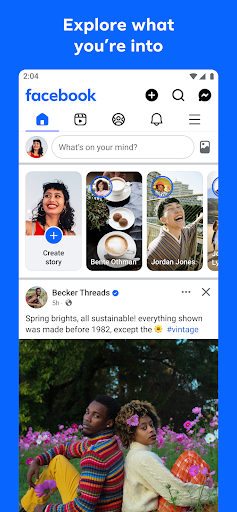
Where real people propel your curiosity. Whether you’re thrifting gear, showing reels to that group who gets it, or sharing laughs over fun images reimagined by AI, Facebook helps you make things happen like no other social network.
Explore and expand your interests:
* Shop Marketplace for hidden gems and take your hobbies to the next level
* Personalize your Feed to see more of what you like, less of what you don’t
* Ask Meta AI for information and get answers instantly
* Drive into reels that reflect the things you're interested in
* Search Facebook on any topic and get more interactive results
Connect with people and communities:
* Join groups to learn tips from real people who’ve been there, done that
* Get inspired by creators, or catch up with Friends
* Add new Friends to your world, but also decide how closely to keep up with them
* Privately message relatable posts that only your BFF will get or that reels trend everyone’s talking about
* Catch up with your friends through video and voice calls
Share your world:
* Use generative AI to create custom stickers and images to delight friends
* Customize your profile to choose how you show up and who sees your posts
* Effortlessly create reels from trending templates, or showcase your creativity with a full suite of editing tools
* Capture moments on the fly with stories
Some features may not be available in your country or region.
Terms & Policies: https://www.facebook.com/policies_center
Privacy Policy: https://www.facebook.com/privacy
Learn how we're working to help keep our communities safe across Meta technologies at the Meta Safety Center: https://about.meta.com/actions/safety
Google Calendar
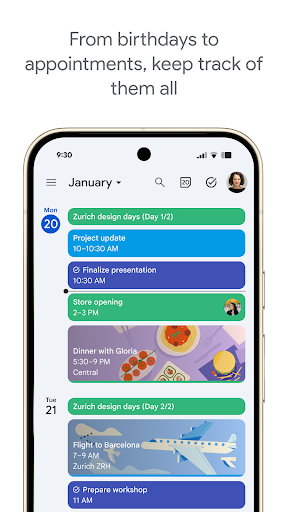
Get the official Google Calendar app, for your Android phone, tablet, or Wear OS device to stay organized and plan your day. Make the most of your day with easy event creation, multiple calendars, customizable views, widgets, tasks, and more
With Google Calendar, you can:
• Get events automatically added to your Calendar from Gmail, including flight, hotel, concert, and restaurant reservations.
• Go from using Calendar on your Android phone, tablet, or Wear OS device to your computer without missing a beat when you’re logged into the same Google account.
• Consolidate and view Google Calendar events side-by-side with other calendars on your device, including Exchange.
• Keep family, friends, and colleagues in the loop with shared calendars, so they can view, add, or modify events.
• Quickly switch between month, week, and day views.
• Stay on top of to-dos by creating and managing tasks alongside your events in Calendar.
• Personalize your Google Calendar with light or dark mode or by color-coding your events.
• Access and organize your task lists in a full-screen view right from the Google Calendar app.
• Keep track of events or tasks while on the go with Google Calendar on Wear OS devices, which supports tiles and complications.
Google Calendar is part of Google Workspace, allowing you and your team to easily connect, create, and collaborate across all your favorite Google tools. You can:
• Collaborate in a hybrid work environment by adding a Google Meet video call to an Calendar event
• Get access to professional booking pages to easily book clients and customers*.
• Schedule meetings with teammates by checking their availability or layering their calendars in a single view
• Add your working location to your calendar to make it easier for your teammates to schedule meetings with you*.
• Keep everyone on track for a meeting by attaching meeting notes, pre-read materials, and other documents directly to a calendar event.
• Use Google Calendar with confidence knowing it’s supported by Google’s enterprise-level privacy, user safety and data security.
Learn more about Google Workspace: https://workspace.google.com/products/calendar/
Follow us for more:
X: https://x.com/googleworkspace
LinkedIn: https://www.linkedin.com/showcase/googleworkspace
Facebook: https://www.facebook.com/googleworkspace/
✍️ Good reviews
Local Weather:Weather Forecast
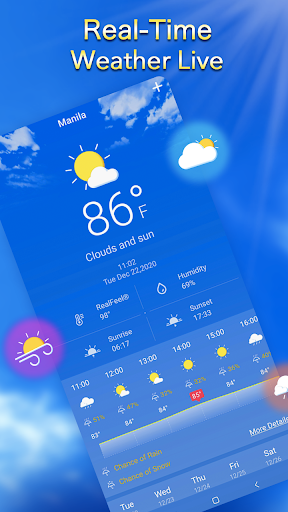
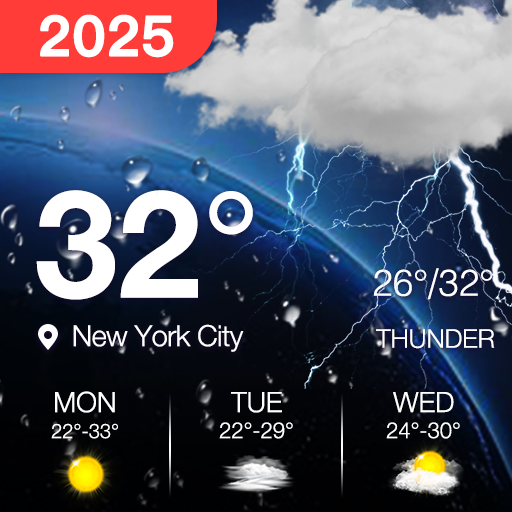
Local weather forecast, your personal weather assistant. With Local Weather Forecast, you can travel with confidence. It provides weather info and weather data browsing, accurate weather forecast information in 24 hours, accurate forecast for many days in the future.
################ Main Features ###############
# Real-time Local Weather Forecast
Hourly Temperature, wind speed and direction, atmospheric pressure, weather condition, humidity, UV Index, visibility distance unites, dew point, elevation and cloud cover condition. Also it contains Radar Map that offering you to check the local weather condition information easily. Thoughtful data like Air Quality, Out Door Sports Index sunrise time, sunset time are also offered for you.
# Local real-time weather and natural disaster Alert
Early warning affected area, start time, end time, Alert summary, original warning and data source. Prompt protection in advance
# Weather forecast for the next 24 hours
Hourly temperature, Feels like, weather phase, humidity, UV index, visibility, dew point, rain snow ice probability, wind direction speed gust, Cloud Cover. 24-hour Weather Forecast ,View anytime, anywhere . Hourly weather, know as soon as you slip.
# Weather forecast for the next 10 days
Provide daily temperature, weather phase, humidity, UV index, rain snow icing probability, lightning probability, wind direction/speed/gust, sunrise sunset time. Plan food, clothing, housing and transportation in advance . Forecast long-term weather, happy plan, happy play.
# Rain probability in the next 10 days
The bar graph displays the trend of rain probability. Watch the dynamic map of rainfall radar
# Wind direction information for the next 10 days
The line graph shows the level of the direction and the direction change trend.
# Air Quality Index
PM10, PM2.5, CO, NO2, SO2, O3, quality level.
# Other weather information
Dew point, Visibility, UV Index.
# Weather radar chart
Various cloud images can be displayed, making it easy to browse weather forecast information.
# Sunrise and sunset
Beautiful sunrise and sunset animation effects and moon phase information.
# City Management
The weather in the city you care about is clear at a glance. You can manually add and remove cities, adjust the order of cities, set the city and weather forecast for notifications and widgets.
# Weather information unit and format setting
Temperature: C, F
Precipitation: mm, in, cm
Visibility: mile, m, km
Wind speed: mp/h, km/h, mi/h, m/s
Pressure: bar, hPa, atm, mmHg
Hour format: 12 hour, 24 hour
Date format: yyyy/mm/dd(2021/01/29), mm/dd/yyyy(29/01/2021), dd/mm/yyyy(01/29/2021)
# Support multiple languages
Download and experience the accurate local weather forecast.
Enjoy your daily life and stay safe!
If you have any questions or suggestions, feel free to contact us. We will do our best to provide a better experience for you.
Email:
[email protected]


Coscos
Coscos is a live social community with so many users around the world where you can connect with new friends, and watch talented creators
You can make real friends, chat with your favorite creators using our real-time chat, and join the new wave of social communication.


Digital Key Connect - Car Key
Tired of fumbling around for your keys? Want to get real-time updates on your car's status? Digital Key Connect - Car Key, the app that turns your smartphone into a smart and powerful car control center.
Experience Convenience and Control of your vehicle:
✅ Wirelessly LOCK & UNLOCK car doors on your phone: a simple tap on your smartphone screen. Whether you're rushing into the house and forgot to lock up, or want to grant a trusted friend temporary access, Digital Key Connect - Car Key provides instant and reliable door control. This is your ultimate digital car key solution.
✅ Real-time Tire Pressure, Access Monitoring on your phone: Digital Key Connect - Car Key app will car key connect seamlessly with your vehicle's sensors to display the current pressure of each tire directly on your smartphone.
✅ Comprehensive Vehicle Status Tracking on your phone, including tire pressure, oil / EV battery level, and receive safety alerts to avoid risks of road accidents or engine breakdown when driving. Stay informed about your car's condition before you even step inside, allowing you to plan your journeys with confidence and anticipate any potential maintenance needs.
✅ SMART MAP to remotely locate your car or find the fastest routes to car parks or gas / EV charging stations on maps.
✅ Integrated CarAI virtual assistant helps solve your problems
Benefits of Using Digital Key Connect - Car Key:
Enhanced Security:
Remotely lock your car doors for added peace of mind, no matter where you are.
IIncreased Convenience:
Unlock car effortlessly, especially useful when your hands are full or in inclement weather.
Proactive Vehicle Maintenance:
Stay informed about your tire pressure and other vital vehicle stats to prevent potential issues and ensure optimal performance.
Improved Fuel Efficiency:
Maintaining correct tire pressure, as monitored by the app, can contribute to better fuel economy.
Extended Tire Lifespan:
Timely alerts about low tire pressure can help you avoid premature tire wear.
Instant Access to Information:
The Car AI Assistant provides quick and easy answers to your car-related questions, eliminating the need for manual searches.
Greater Confidence on the Road:
Knowing your car's status in real-time empowers you to drive with more assurance.
Your Digital Car Key:
Replace your traditional key with the convenience of your smartphone.
Seamless Car Key Connect:
Establish a reliable and secure connection with your vehicle.
Digital Key Connect - Car Key app isn't just another remote control app; it's your personal Car AI Assistant, providing seamless access, vital vehicle information, and unparalleled convenience right at your fingertips. Imagine a world where you can effortlessly manage your car's essential functions and gain deeper insights into its status, all through the intuitive interface of your smartphone. That future is now, with Digital Key Connect - Car Key.
Thanks and Best Regards,
Terms of Use: https://cooldev.vn/p/1/privacy-policy
Privacy Policy: https://cooldev.vn/p/2/terms-of-service
Contact Us: [email protected]


Perfect Viewer Donation
This application will enable donated users only function in Perfect Viewer.


Fantasy Footballers
The Fantasy Footballers app connects you with in-season rankings, player news, start/sit advice, and podcast episodes to help you on your way to a fantasy championship. The award-winning fantasy footballers podcast and their team of analysts work to help you to fantasy football success each and every year. Utilize the in-season app to help build your roster each and every week. More features coming soon!
🔥 Hot Comments
CapCut - Video Editor
CapCut offers easy-to-use video editing functions, in-APP fonts and effects, advanced features such as keyframe animation, smooth slow-motion, chroma key, and stabilization, to help you capture and snip moments.
Create fancy videos with other unique features: auto captions, text-to-speech, motion tracking, and background removal. Show your personality and go viral on TikTok, YouTube, Instagram, WhatsApp, and Facebook!
FEATURES
Basic video editing
• Trim and shorten clips and split or merge videos.
• Adjust video speed from 0.1x to 100x, and apply speed curves to clips.
• Animate video clips with incredible zoom in/out effects.
• Highlight the best moments with the freeze feature.
• Explore transition options with awesome effects on and between clips.
Advanced video editor
• Keyframe video animation is available for all settings.
• Edit videos to create smooth slow-motion with the optical flow feature and speed curve tool.
• Use the chroma key to remove specific colors from videos.
• Easy to arrange and preview clips on multi-track timeline.
• The stabilizing feature keeps video footage steady.
Intelligent features
• Auto captions: automate speech recognition and subtitles in videos.
• Text-to-speech: apply text-to-speech in multiple languages and voices.
• Background removal: automatically remove backgrounds.
Text & Stickers
• Add text to videos with different fonts and styles, choose unique text templates. Fonts can be imported locally.
• Subtitles can be added to the timeline of video tracks and can be moved and adjusted in one step.
Trending Effects & Filters
• Match video content with diverse filters that are updated weekly with the latest trends.
• Edit videos with hundreds of trending effects, including Glitch, Blur, 3D, etc.
• Add movie-style video filters or adjust video brightness, contrast, etc.
Music & Sound Effects
• Add millions of music clips and sound effects to videos.
• Extract audio, clips, and recordings from videos.
Easy to Share
• Custom video export resolution, HD video editor supports 4K 60fps exports and smart HDR.
• Adjust the format and share with your friends on social media platforms.
CapCut is an all-in-one video editor and video maker application with everything you need to create stunning, high-quality videos. Beginners can get started with CapCut in a matter of seconds, while advanced users can enjoy all the functions they need to edit videos.
Terms of Service —
https://www.capcut.com/clause/terms-of-service
Privacy Policy —
https://www.capcut.net/clause/privacy
Contact Us
Any questions about CapCut? Please contact us at [email protected].
Facebook: CapCut
Instagram: CapCut
YouTube: CapCut
TikTok: CapCut on TikTok
B612 AI Photo&Video Editor
B612 is the all-in-one camera & photo/video editing app. We offer various free features and tools to make every moment more special.
Meet trendy effects, filters, and stickers that are updated every day!
=== Main features ===
*Create your own filters*
- Create a one-of-a-kind filter and share it with friends
- No problem even if it's your first time creating a filter. Filters are easily completed with just a few touches.
- Meet the creative and diverse filters of B612 creators.
*Smarter CAMERA*
Apply real-time filters and beauty to capture every moment as your pic of the day.
- Don't miss out on daily updated AR effects and seasonal exclusive trendy filters
- Smart Beauty: Get a perfect recommendation for your face shape and create your custom beauty style
- AR Makeup: Create a natural look from daily to trendy makeup. You can adjust beauty and makeup to suit you.
- Shoot clearly anytime, anywhere with high-resolution mode and night mode.
- Capture the fun moment with the Gif Bounce feature. Create it as a gif and share it with your friends to double the fun!
- From video shooting to post-editing with over 500 kinds of music. Turn your daily life into a music video.
- You can use a custom sound source for music by extracting a sound source from your video.
*ALL-IN-ONE PRO editing feature*
Enjoy basic, professional-grade tools.
- Various Filters & Effects: From retro to emotional modern style! Create the atmosphere you want.
- Advanced Color Edit: Experience precise color edit with tools such as professional curves, split tone, and HSL that brings out details.
- More natural portrait edit: Complete your pic of the day with beauty effects, body edit, and hair color styling.
- Edit Videos: Anyone can edit videos easily with trendy effects and various music.
- Borders and Crop: Simply adjust the size and ratio and upload it to social media.
- Decoration Stickers & Texts: Decorate your photos with various stickers and texts! You can also make custom stickers and use them.
Microsoft Word: Edit Documents
The document editor that you can take with you on the go – Microsoft Word.
Write and create documents on your mobile device much like you do on your PC. Edit docs, share notes, convert to PDF documents, craft a powerful cover letter, and collaborate on projects using your mobile device.
Documents are easy to create, read, edit and share with Microsoft Word. Simplify on-the-go document collaboration and editing with our easy-to-use Word app features. Convert to PDF from Word and vice versa. From doc editing to collaboration and beyond, Microsoft Word is one of the best free writing apps for writing on the go.
Access files, documents and make edits with ease using the Word app. Read documents and open attachments with built-in docs viewer. Edit a PDF using Word’s PDF converter feature easily. Share files, documents and notes in the format you’d like. Create documents on the go with Word’s expert editing tools anytime, anywhere.
Read, edit docs and create a document for any need. Resume templates, newsletters, brochures and more are accessible in the template gallery. Select the documents you would like and get started.
Blogger, writer, journalist, columnist or project manager: the Microsoft Word writing app moves with you.
Easy document editing, at your fingertips. Write a letter, create templates, read Word documents, edit docs and collaborate with your team anywhere! Get the docs and PDF app that can do it all.
Create Documents
• Use Microsoft Word as a cover letter creator by leveraging our beautiful templates
• Document editor keeps formats & layouts looking great.
• Docs app with templates for resumes, cover letters, forms & more.
• Documents are easily created for any writing task.
• Editing with rich formatting & layout.
Read, Write and Edit Documents
• Read docs, letters, PDFs & scripts on your device in Reading View.
• Document & PDF App: Edit documents from PDFs by converting to & from Word documents.
• PDF Converter: Save as PDF after editing & share the PDF easily.
Collaborate and Share With Anyone, Anywhere
• Document comments can be left right next to the text using for seamless collaboration.
• View documents using the built-in docs viewer.
• Edit documents as a team and stay on top of changes to the text, layout & formatting.
• Edit docs and view editor history: easily revert to view earlier drafts when you need to.
Microsoft Word for Anything
• Documents for your needs: Letters, blogs, scripts, notes, resumes, & more can be created beautifully designed modern templates.
• Write a letter easily using Word’s templates.
• Share documents as a link, email or attachment.
• Proofread, check spelling & review any document.
File Sharing Simplified
• Share files & collaborate with a few taps.
• File & document permission management: see who is working on what.
• Copy files into the body of an email message with its format intact or attach PDFs & docs to the email.
Document, PDf and writing app free of restrictions, hassle and workarounds. Download Microsoft Word to edit documents anywhere, seamlessly.
REQUIREMENTS
1 GB RAM or above
To create or edit documents, sign in with a free Microsoft account on devices with a screen size smaller than 10.1 inches.
Facebook
Where real people propel your curiosity. Whether you’re thrifting gear, showing reels to that group who gets it, or sharing laughs over fun images reimagined by AI, Facebook helps you make things happen like no other social network.
Explore and expand your interests:
* Shop Marketplace for hidden gems and take your hobbies to the next level
* Personalize your Feed to see more of what you like, less of what you don’t
* Ask Meta AI for information and get answers instantly
* Drive into reels that reflect the things you're interested in
* Search Facebook on any topic and get more interactive results
Connect with people and communities:
* Join groups to learn tips from real people who’ve been there, done that
* Get inspired by creators, or catch up with Friends
* Add new Friends to your world, but also decide how closely to keep up with them
* Privately message relatable posts that only your BFF will get or that reels trend everyone’s talking about
* Catch up with your friends through video and voice calls
Share your world:
* Use generative AI to create custom stickers and images to delight friends
* Customize your profile to choose how you show up and who sees your posts
* Effortlessly create reels from trending templates, or showcase your creativity with a full suite of editing tools
* Capture moments on the fly with stories
Some features may not be available in your country or region.
Terms & Policies: https://www.facebook.com/policies_center
Privacy Policy: https://www.facebook.com/privacy
Learn how we're working to help keep our communities safe across Meta technologies at the Meta Safety Center: https://about.meta.com/actions/safety

Instagram
Little moments lead to big friendships. Share yours on Instagram.
—From Meta
Connect with friends, find other fans, and see what people around you are up to and into. Explore your interests and post what's going on, from your daily moments to life's highlights.
Share what you’re up to and into on Insta®.
- Keep up with friends on the fly with Stories and Notes that disappear after 24 hours.
- Start group chats and share unfiltered moments with your Close Friends.
- Share memories from recent events or trips in Feed.
- Turn your life into a movie and discover short, entertaining videos on Instagram with Reels.
- Customize your posts with exclusive templates, music, stickers and filters.
Dive into your interests.
- Watch videos from your favorite Creators and discover new content that’s personalized to your interests.
- Get inspired by photos and videos from new accounts in Explore.
- Discover brands and small businesses, and shop products that are relevant to your personal style.
Some Instagram features may not be available in your country or region.
Terms and Policies - https://help.instagram.com/581066165581870
Consumer Health Privacy Policy: https://privacycenter.instagram.com/policies/health
Learn how we're working to help keep our communities safe across Meta technologies at the Instagram Safety Center: https://about.instagram.com/safety

